The best stories transport readers to another universe. Whether you're writing fantasy, sci-fi, or historical fiction, immersion relies on a world that's as consistent as it is engaging. In 2026, there are plenty of tools to help you craft a believable story world. Here are our favorites.
Our top picks
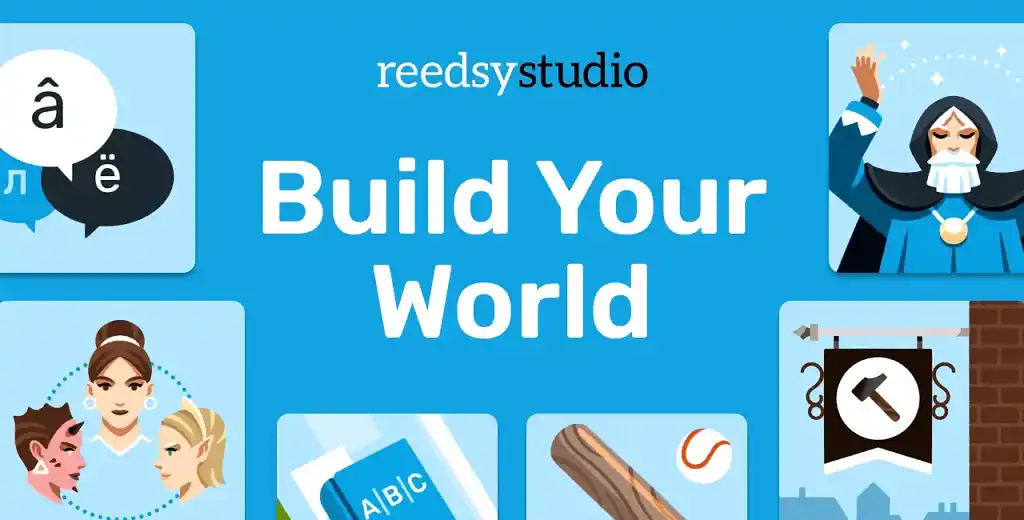
Reedsy Studio’s worldbuilding templates are the obvious choice for developing your world's lore. The 45+ templates boast hundreds of detailed, customizable prompts, an intuitive interface, and direct integration with a sleek writing environment, so you never have to switch apps — except to create your maps. Wonderdraft wins our vote for the best map-making tool thanks to its price, customization options, and royalty-free commercial licensing.
LegendKeeper also makes it into our top three by virtue of its extensive map and wiki integration. With online and offline editing, free collaboration, and an in-built tutorial, it’s perfect for visualizing the events of your story on a map.
|
🛠️ Tool |
💸 Pricing |
✅ Pros |
❌ Cons |
🏆 Best for |
|
30-day free trial, then $7.99 per month |
Detailed and customizable prompts, intuitive interface, excellent collaboration features, integrated manuscript editor and formatter |
Online only |
Strengthening your worldbuilding through curated prompts |
|
|
$29.99 (one-time purchase) |
Thousands of assets, highly customizable maps, licensed for commercial use |
No free trial, offline only, not designed for detailed city-level maps |
Creating custom world maps |
|
|
14-day free trial, then $9 per month |
Good map integration, edit online and offline, free collaboration, built-in tutorial |
No manuscript editor, some irrelevant features |
Keeping track of your story’s events on a map |
However, not all authors will benefit from the same tools. Let’s look at a wider selection of worldbuilding tools to suit every writer and budget.
Best worldbuilding tools built for writers
Why use a worldbuilding tool and a writing app when you can get both in one? Here are the best worldbuilding apps created specifically for writers.
1. Reedsy Studio’s Worldbuilding Templates
Price: $7.99 per month after a 30-day free trial. Save 10% with an annual subscription.
Platform(s): Web
Best for: Authors who want to add believable depth to their world through curated prompts
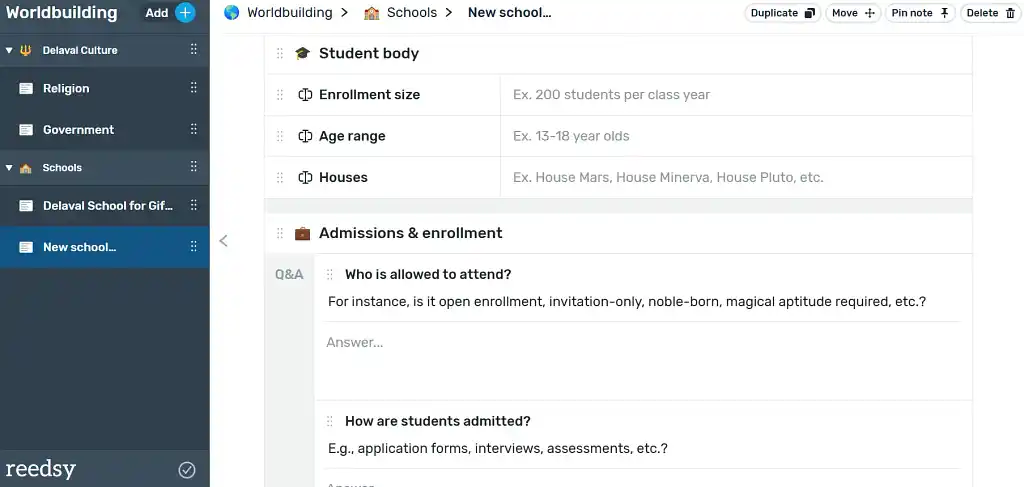
Reedsy Studio’s worldbuilding templates are the best tools for developing rich lore that stands up to scrutiny. Together, the 45+ templates contain over 500 questions curated by publishing experts to help you build convincing cultures, magic systems, languages, sports, species, schools, armor, and more. You can personalize your experience by adding, editing, reordering, or removing prompts from each template, and grouping templates into folders.
Given that they also come part and parcel with one of the strongest writing apps out there, Reedsy Studio’s worldbuilding templates are our number one choice for authors who want to ensure readers will not only love their world, but respect it, too.
|
Pros of Reedsy Studio’s worldbuilding templates |
Cons of Reedsy Studio’s worldbuilding templates |
|
➕ 45+ fully customizable templates with hundreds of thoughtful prompts |
➖ Online only |
|
➕ Built for authors of all genres (not just fantasy) |
|
|
➕ Clean, intuitive interface |
|
|
➕ Write, collaborate, edit, and format in the same app for free |
2. Campfire
Price: Pay for what you need, or get full access for $12 per month.
Platform(s): Web, macOS, Windows
Best for: Authors who want to save money on simple worldbuilding projects
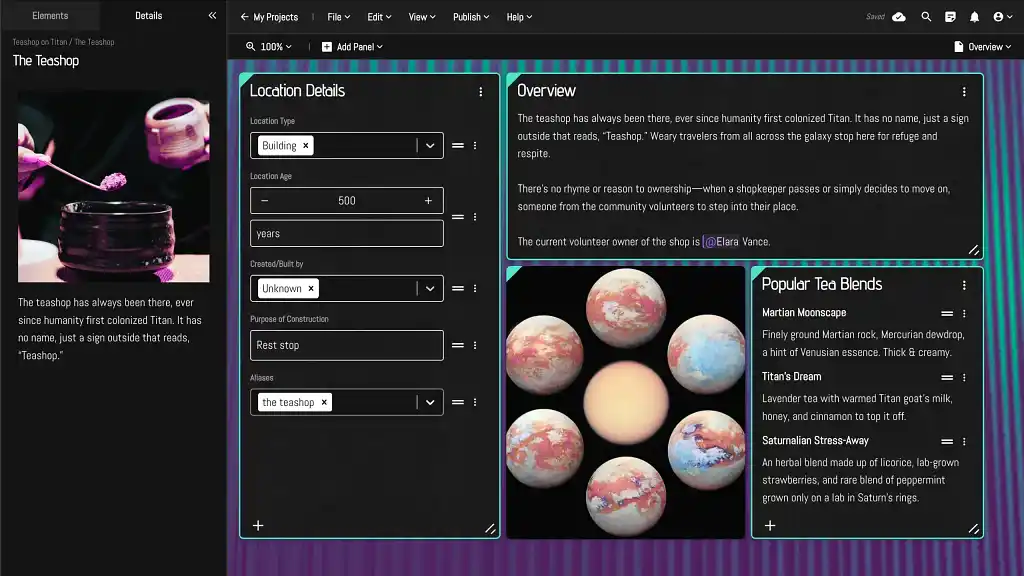
Campfire’s primary strength is its modular pricing model. You get a limited number of free elements, and then pay for more of the ones that you need. If, for instance, you only have a limited number of locations and cultures, Campfire may be a cost-effective tool.
However, bear in mind that the learning curve is steeper than in Reedsy Studio, and the prompts are not as detailed. The writing environment also costs extra after 25,000 words — so Campfire is best for short story writers who don’t need extensive worldbuilding.
|
Pros of Campfire |
Cons of Campfire |
|
➕ Only pay for what you need |
➖ Free writing environment limited to 25,000 words |
|
➕ Use online and offline |
➖ More basic prompts |
|
➕ Collaborate with others |
➖ Steeper learning curve |
|
➕ Lots of visual styles |
➖ Dashboard too wide for some screens |
Best free worldbuilding tools
These free worldbuilding tools don’t have as many features as Reedsy Studio or Campfire, but the best among them can serve as a solid alternative for writers on a tight budget. Here are our top three.
1. Fantasia Archive
Price: Free
Platform(s): Windows, macOS, Linux
Best for: Authors who want free access to basic worldbuilding templates
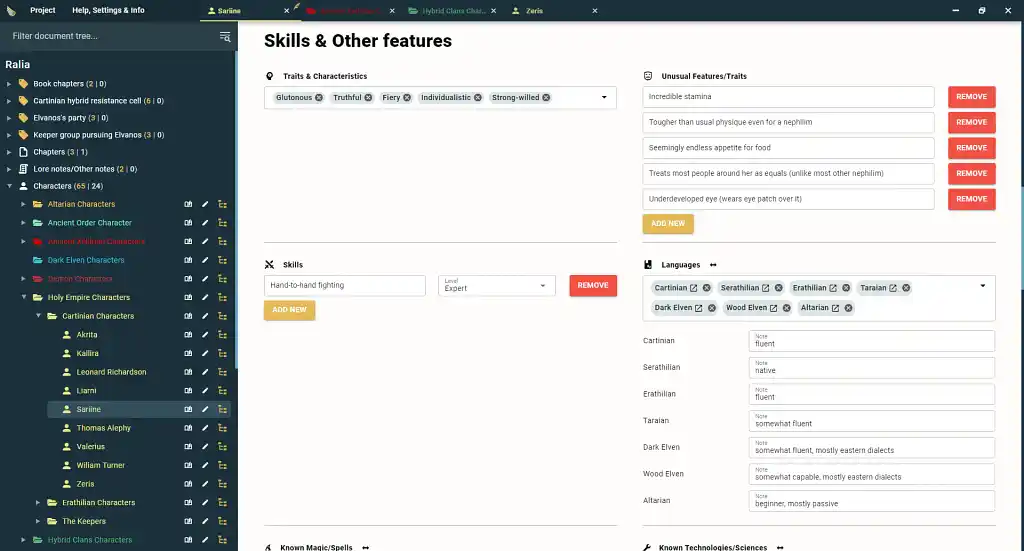
Fantasia Archive has its flaws, but it’s pretty impressive for something that’s completely free. With “DM notes” and player stats, it’s built more for RPG campaign managers than authors, but if you can put up with irrelevant features and fields, the pre-built templates and customizable hierarchical structure can cover all your basic worldbuilding needs. You can even write your manuscript in the app — though you can’t collaborate with others.
|
Pros of Fantasia Archive |
Cons of Fantasia Archive |
|
➕ Built-in attributes to prompt your worldbuilding |
➖ Can’t hide unwanted attribute fields |
|
➕ No internet connection required |
➖ Some features are not relevant to writers |
|
➖ Offline only with no automatic backup |
|
|
➖ No collaboration options |
2. Obsidian
Price: Free. Sync add-on $5 per month. Publish add-on $10 per month.
Platform(s): Windows, macOS, Linux, iOS, Android
Best for: Authors who want to create a truly bespoke personal Wiki
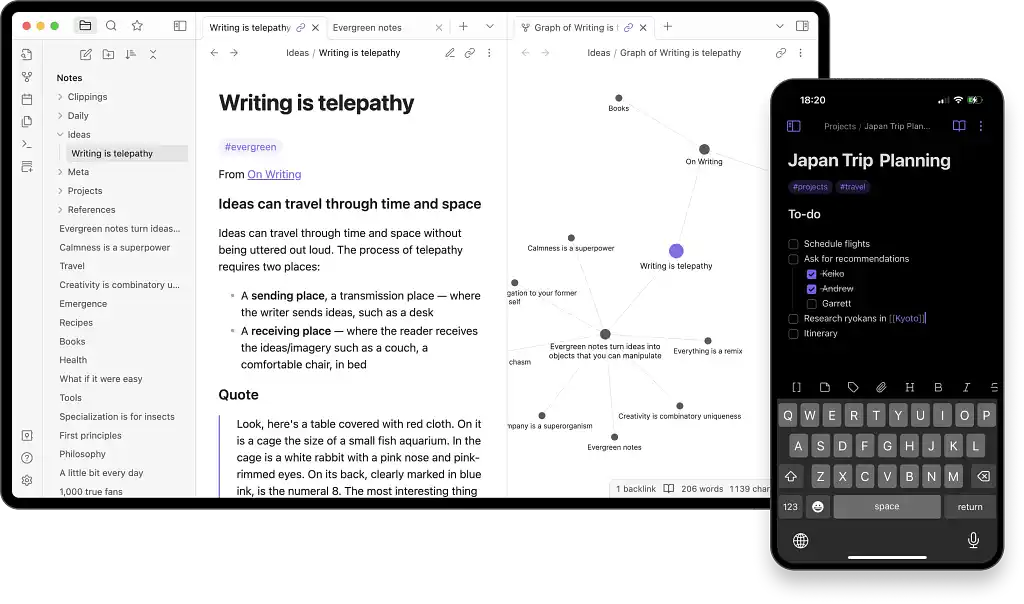
Obsidian isn’t built for authors either, but you can customize the powerful mindmap tool to meet your worldbuilding needs — once you’ve conquered the steep learning curve, which entails learning markdown syntax. That means you’ll probably spend plenty of time googling how to do everything before you can reap the benefits of this free, offline app. That said, there’s a massive community of Obsidian users who can help you out if you decide the wiki-style linking and graph view are right for you. Just don’t expect to see any ready-made worldbuilding templates or prompts.
|
Pros of Obsidian |
Cons of Obsidian |
|
➕ Highly customizable |
➖ Very steep learning curve |
|
➕ Big community you can ask for help |
➖ No templates or prompts to inspire you |
|
➕ No internet connection required |
➖ Have to pay for online sync |
|
➕ Collaborate through shared vaults |
➖ No real-time co-editing |
3. Google Docs
Price: Free
Platform(s): Web
Best for: Authors who don’t want to learn how to use yet another piece of software
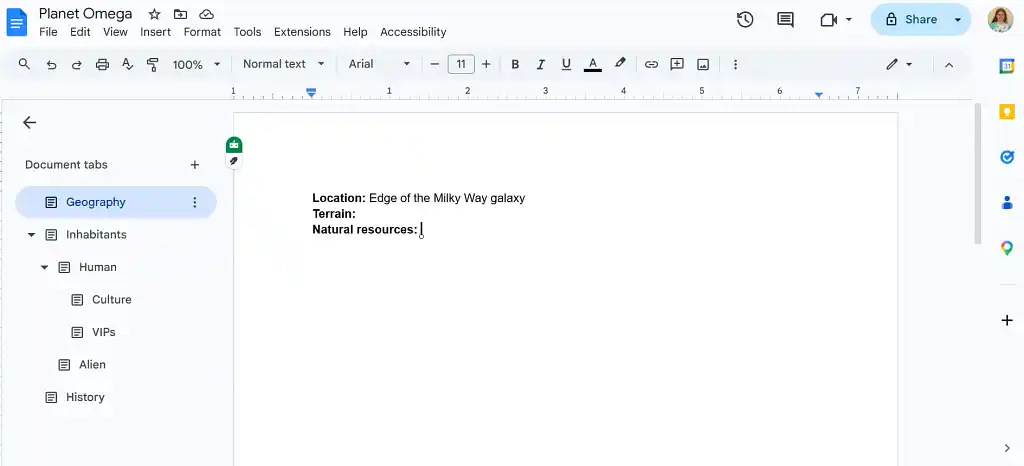
For writers who prefer to keep things straightforward, plain old Google Docs can double up as a worldbuilding tool. It may not have templates or prompts, but it does have tabs, subtabs, and hyperlinks — and you’re probably already familiar with the software. As long as you’re willing to manually organize files in your Drive and forgo specialist guidance (or find it on our blog!), Google Docs can be a free and fast DIY story bible.
|
Pros of Google Drive |
Cons of Google Drive |
|
➕ Almost no learning curve |
➖ No templates or prompts |
|
➕ Excellent collaboration features |
➖ Have to organize and interlink docs yourself |
|
➕ Offline mode |
Best map-making tools
If you want to bring your world to life on a map, you’ll need specialist software — or a custom map from a professional illustrator. For DIY maps, we recommend Wonderdraft for maps of broader areas, and Inkarnate for more detailed city- or townscapes.
1. Wonderdraft
Price: $29.99 (one-time purchase)
Platform(s): Windows, macOS, Linux
Best for: Authors who only want to create world and/or regional maps
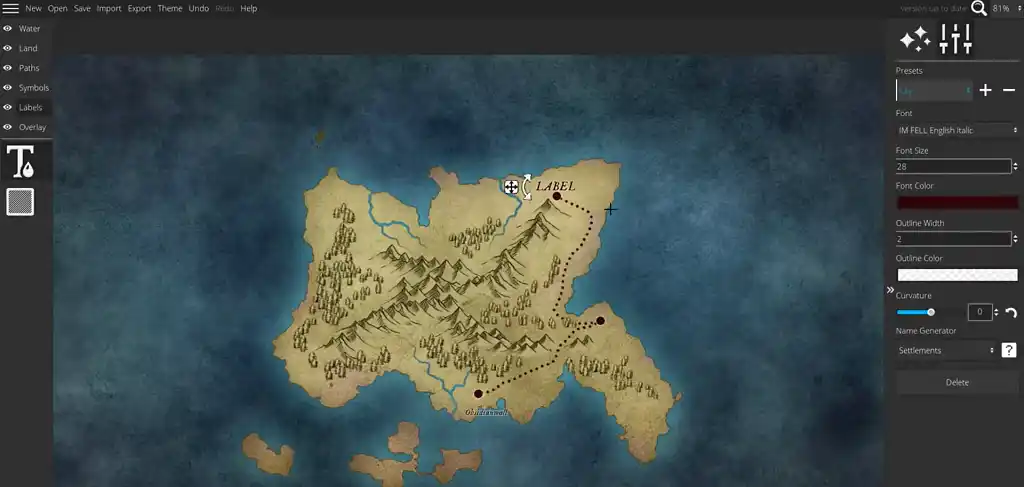
There are several reasons why Wonderdraft is our preferred map-making tool. With enough patience, anyone can make high-quality maps using thousands of free and premium “stamps,” and you can even add your own custom assets. What really sets Wonderdraft above Inkarnate, however, is that users automatically own commercial rights to their creations. The main downside of the app is that it doesn’t support detailed settlement maps.
|
Pros of Wonderdraft |
Cons of Wonderdraft |
|
➕ Use your maps commercially without paying royalties |
➖ No support for city maps |
|
➕ Access a large library of free and premium artwork and add custom assets |
➖ No collaboration |
|
➕ No internet access required |
➖ Offline only with no automatic backup |
|
➕ One-time purchase |
➖ No free trial |
2. Inkarnate
Price: Free tier. $7.99 per month for Inkarnate Creator. $14.99 for Inkarnate Studio. Get 7 months free with an annual plan.
Platform(s): Web
Best for: Authors who want to create detailed settlement maps
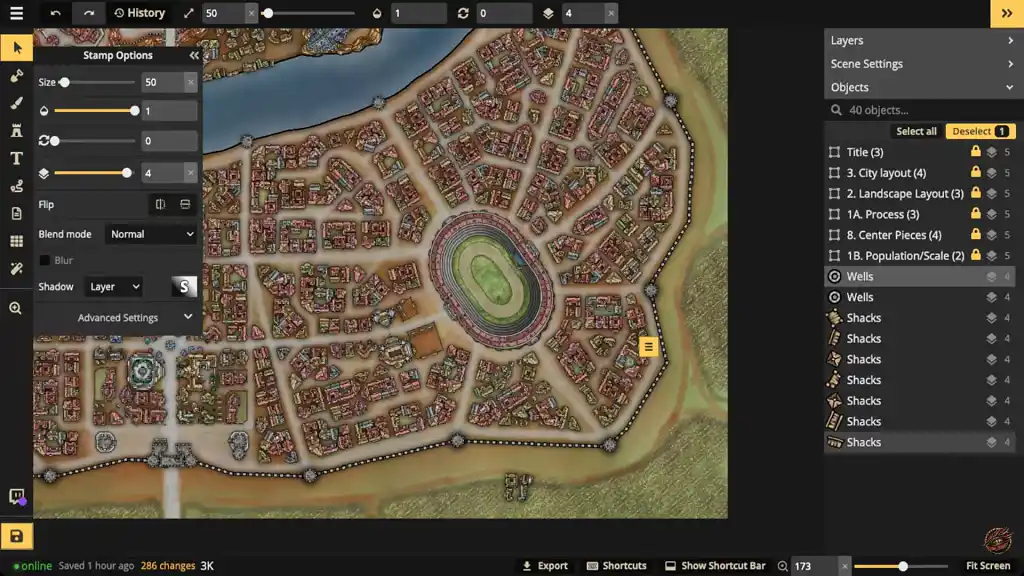
Inkarnate’s strength is Wonderdraft’s weakness (and vice versa). You can only use your Inkarnate maps commercially if you export them via Inkarnate’s most expensive plan. And for authors who want to tinker with their map for more than four months, even the Creator subscription is more expensive than downloading Wonderdraft.
On the other hand, Inkarnate is vastly superior for making zoomed-in city or town maps. So if you need this feature, it makes sense to use Inkarnate for all of your maps — for financial reasons and stylistic consistency. If you can afford the higher subscription, Inkarnate comes with a huge perk: the ability to clone and edit thousands of existing maps.
|
Pros of Inkarnate |
Cons of Inkarnate |
|
➕ Access a large library of free and premium artwork and add custom assets |
➖ Very limited free features |
|
➕ Clone and edit ready-to-use maps |
➖ Commercial use only allowed on the most expensive plan |
|
➕ AI-generated artwork banned |
➖ No collaboration |
|
➖ Online only |
More worldbuilding tools
If none of the software above speaks to you, here are more worldbuilding tools you can try. While they may not be explicitly built for writers, they do have features that may be useful to some fantasy, sci-fi, and other speculative fiction authors.
1. LegendKeeper
Price: $9 per month (14-day free trial). Get two months free with an annual subscription.
Platform(s): Web
Best for: Authors who like to visually keep track of events on a map
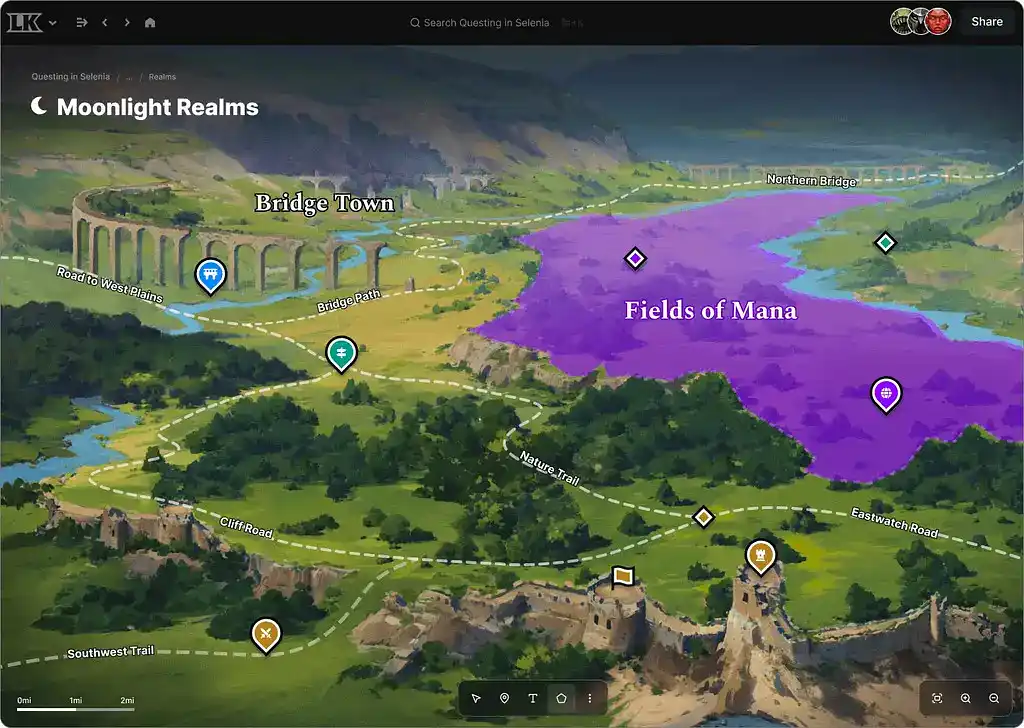
LegendKeeper is primarily aimed at RPG campaign managers. It includes “secrets” and “locked objects,” and doesn’t have a manuscript editor. However, LegendKeeper does allow you to customize your worldbuilding templates and collaborate with unlimited co-authors in real time.
The app’s standout feature is its map integration: while you can’t build a map from scratch, you can add roads, shapes, shading, and icons on top of an imported map, and link to elements in your LegendKeeper wiki. It’s one of the best worldbuilding tools for authors who want to visualize the events of their story on a map.
|
Pros of LegendKeeper |
Cons of LegendKeeper |
|
➕ Good map integration |
➖ Some features are irrelevant to writers |
|
➕ Edit offline and sync changes |
➖ No manuscript editor |
|
➕ Invite unlimited collaborators for free |
|
|
➕ Built-in tutorial |
2. World Anvil
Price: Free tier and three paid tiers at $7, $12, and $34 per month
Platform(s): Web
Best for: Authors who are also RPG campaign managers
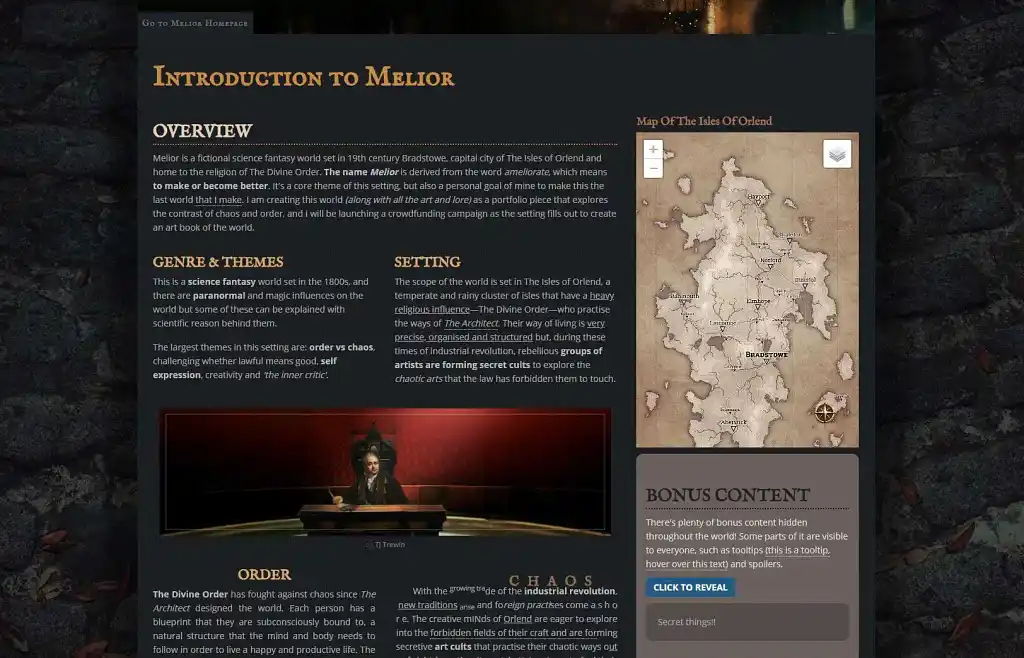 World Anvil is feature-rich — but pricier and less intuitive than its competitors. The interface is geared heavily towards RPG campaign managers, and many author-oriented features, including the manuscript editor, sit behind a paywall.
For your money, you do get some unique tools, such as to-do lists and variables that let you bulk-edit names or numbers. But in most cases, World Anvil is only worthwhile for authors who will make the most of their subscription by using it for RPG purposes, too.
|
Pros of World Anvil |
Cons of World Anvil |
|
➕ 25 worldbuilding templates including prompts and customizable sections |
➖ Most features are paywalled |
|
➕ Grant different collaborators different permission levels and interact with “players” |
➖ Some features are less relevant for authors |
|
➕ Lots of visual themes |
➖ Frequent pop-up ads on the free tier |
|
➖ Steeper learning curve |
|
|
➖ Storage limits even on premium tiers |
|
|
➖ Online only |
3. Kanka
Price: Free tier and three paid tiers at $4.99, $9.99, and $24.99 per month. Save 17% with an annual subscription.
Platform(s): Web
Best for: Authors who want free online access to basic worldbuilding templates
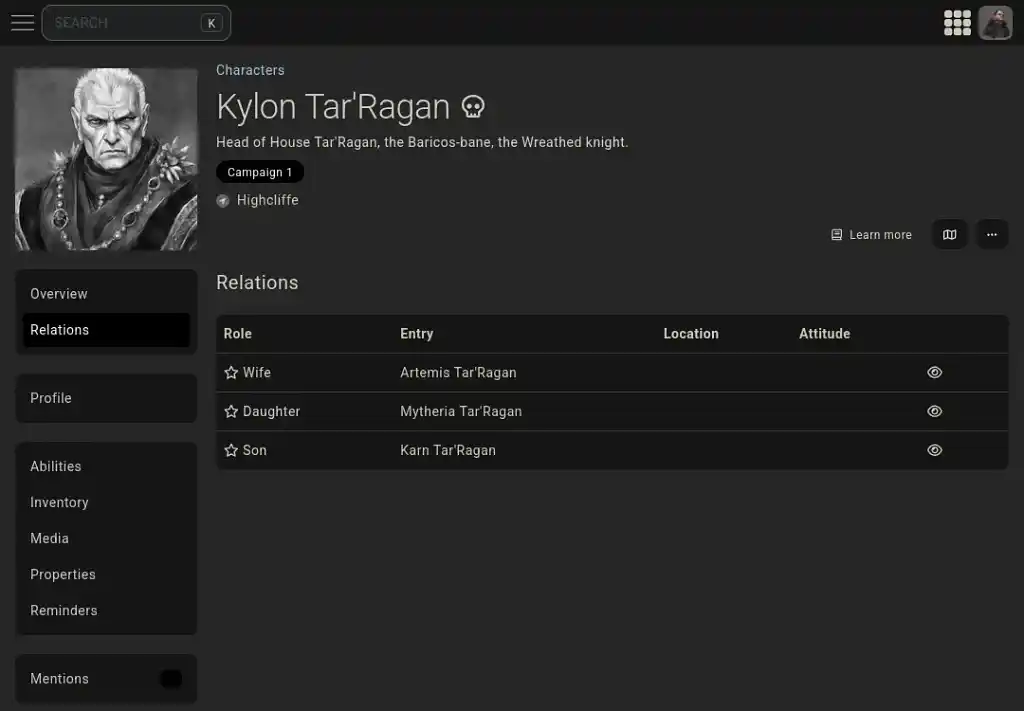
Kanka is also full of gameplay references and has no manuscript editor, but it does have a generous free tier. Upgrading your membership gives you access to more storage, larger file sizes, a 30-day history, and a private Discord server — but because none of these are essential for writers, you can get along just fine without paying. The tool itself is easy to use, but boasts nothing remarkable. We’d recommend it for authors looking for a free online tool (as opposed to Fantasia Archive, which is offline).
|
Pros of Kanka |
Cons of Kanka |
|
➕ Most core features are free |
➖ Some features are not relevant to writers |
|
➕ Collaborate with others |
➖ Online only |
|
➕ Private Discord channel for paid members |
➖ Ads on free tier |
Hopefully one or more of these worldbuilding tools has caught your eye. Whichever tool(s) you opt for, be sure to check out our advice on how to create a convincing fantasy world.